Recruiter Support on Paraform
Last updated: November 9, 2026
We want you to spend your time on Paraform recruiting, not hunting for answers. This guide shows you the fastest way to get help, what our Support team can do for you, and how to reach us when you need a hand.
Where to start
Most questions are fastest to answer yourself or on the role:
Parabot - Ask about platform policies, how features work, role criteria, and submission status. It combines intelligent context from your own candidates and calls, the latest role details, and information from our knowledge base. Access Parabot for the quickest way to an answer at any hour, and see 📄 Parabot for more.
Knowledge base - Step-by-step guides and policies live in the recruiter knowledge base.
Activity Chat & Messages - For anything about a specific candidate and role, message Paraform from the candidate’s Activity tab on the role. Your message goes straight to the team managing that role and hiring manager relationship.
What Support helps with
Contact Support when you need someone to look into your account directly:
Payments and payouts - Stripe setup issues, payment inquiries, and questions about incentives. See 📄 Getting Paid on Paraform as a starting point.
Platform questions - Questions about features or platform usage when Parabot doesn't have the details you need.
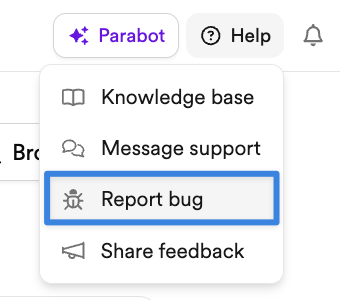
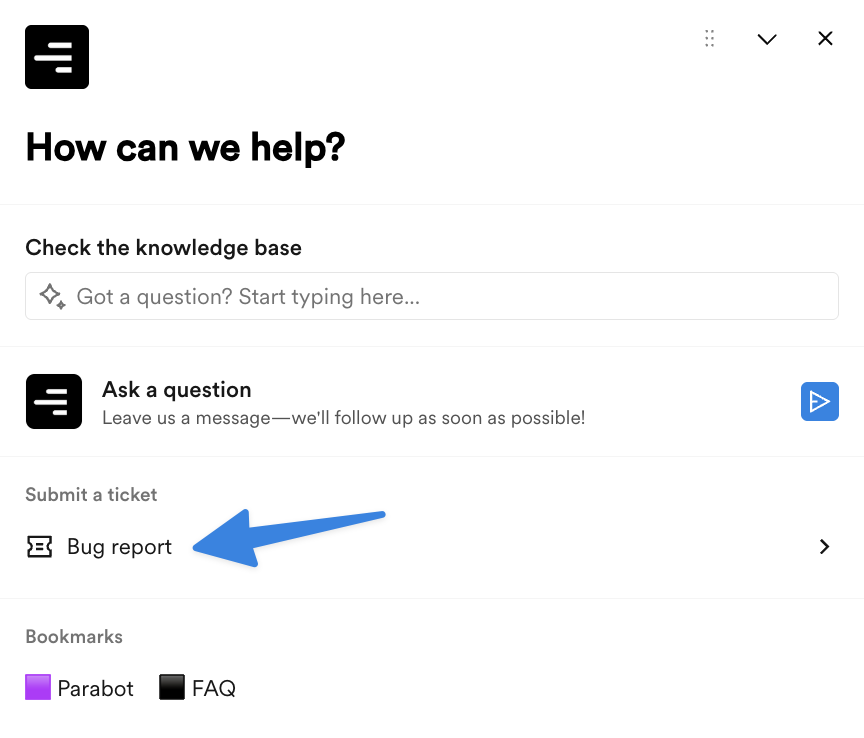
Bugs and troubleshooting - Something on the platform isn’t working as expected. To make sure the issue reaches the right team, you can:
Use Help > Report bug from the top-right corner:
Choose the "Bug report" option in the Paraform Support chat from the Messages widget:
Parabot gave you a wrong answer - Let us know so we can correct it.
What Support can’t help with
Role and candidate questions - Role requirements, candidate feedback, interview scheduling, and pipeline updates are handled on the role. Use Activity Chat & Messages so the team managing the role sees it.
Exceptions to platform limits - Support can’t grant one-off exceptions such as single submissions, role slots, or additional credits. Limits apply the same way to every recruiter.
Slack - Recruiter support no longer runs through Slack. Please use the channels on this page so your request is tracked and answered.
How to contact Support
While we're not always available to reply live, we aim to respond within 1 business day. If you need help in the meantime, Parabot is a great starting point. Sending the same request through several channels creates duplicate tickets and can slow down our reply.
Paraform Support Chat
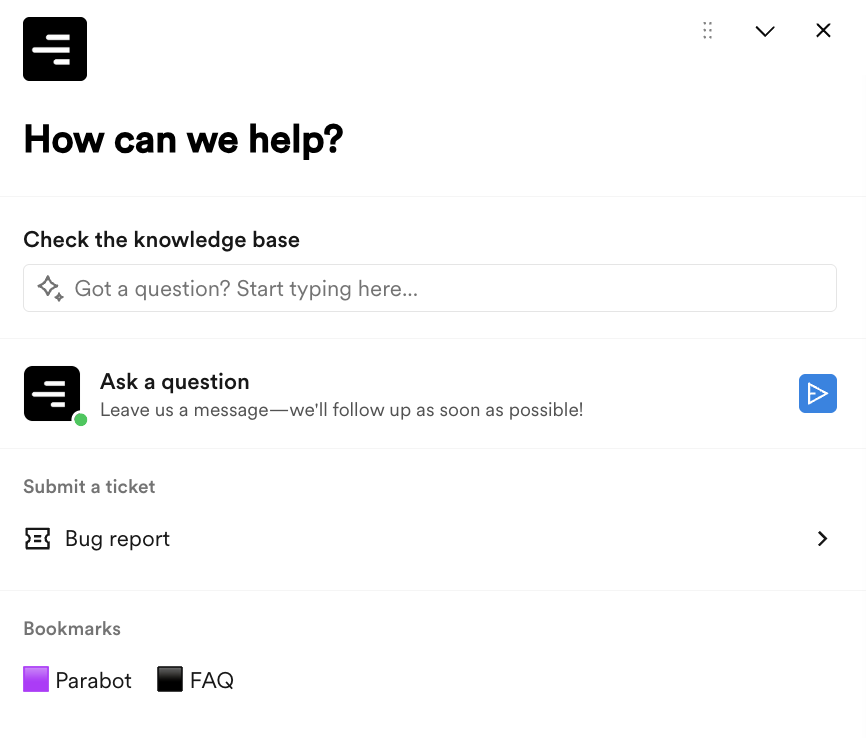
Open the Messages widget from the bottom right and choose Paraform Support, or use the Help > Message support option from the top right. From there, you'll be able to:
Search the recruiter knowledge base
Ask a question to reach a Support team member—for the most prompt response, we recommend creating a new chat each time you have a new issue, rather than reusing the same chat message
Create a Bug report in the Submit a ticket section
Find Bookmarks to our most-used resources
By Email
You can also reach out to us via email at team@paraform.com.
Account management
Our highest-earning recruiters get access to dedicated account management. We review thresholds and criteria every quarter, so as your placements grow, your support can grow too. Meanwhile, we’re focused on improving the marketplace and the recruiter experience for everyone, with better self-serve tools, clearer policies, and faster answers.
FAQ
Who do I contact now that I don’t have an account manager?
Start with Parabot and the recruiter knowledge base. Use Activity Chat & Messages for role-specific questions, and contact Support for account, payment, or platform issues.
Can I still message my old contact on Slack?
Most recruiter communication has moved into the platform. Activity Chat & Messages and Support are the fastest ways to get help.
A note for legal recruiters
If you work on legal roles, nothing changes about your communication channels—you can continue connecting with your point of contact via Slack.
Can Support add me to a role or grant an extra submission?
No. Role access and submission limits follow in-product rules that apply to every recruiter.
I have a candidate mid-process. Who helps me?
Your active submissions keep moving as before. Message Paraform from the candidate’s Activity tab on the role.